Scenes
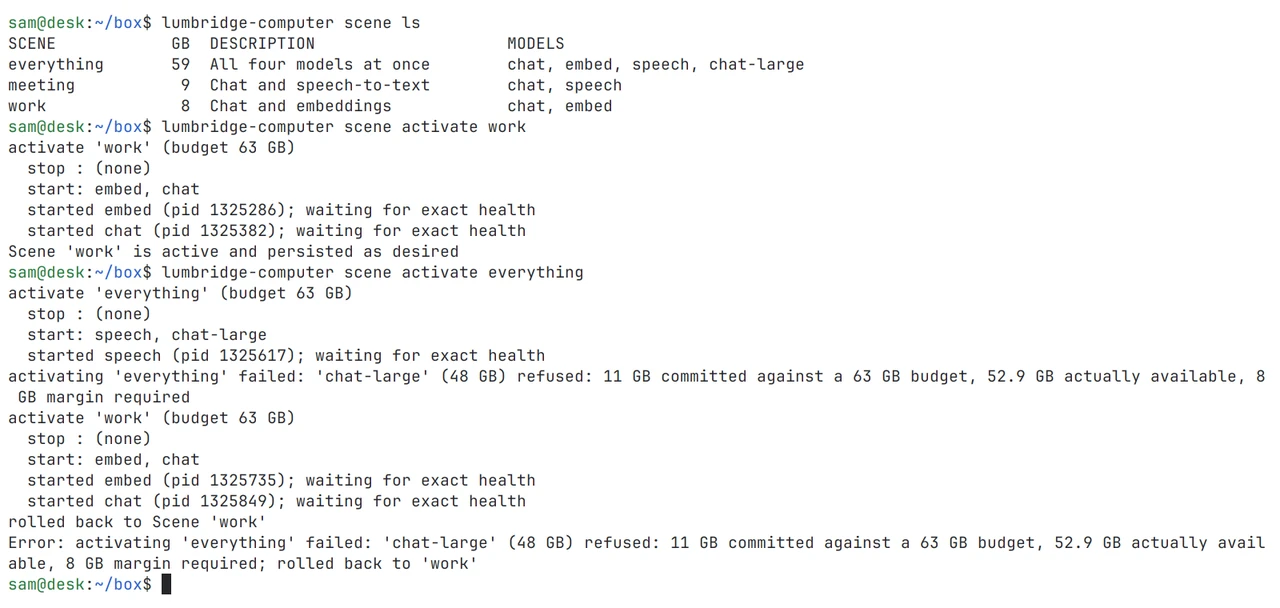
A Scene is a named list of model ids. Activating one stops what is not in it and starts what is. The whole Scene is checked before anything stops, and a failed switch restores the Scene that was running.
Lumbridge Compute
Gated · opens on November 13, 2026Lumbridge Computer is one Rust binary that runs on a GPU box you own. It starts the models you list, refuses a set that will not fit in memory, restarts a model that hangs, and puts every model behind one OpenAI-compatible address. It is for a team whose people and agents share local models and need them to stay up.
Tour
Admission
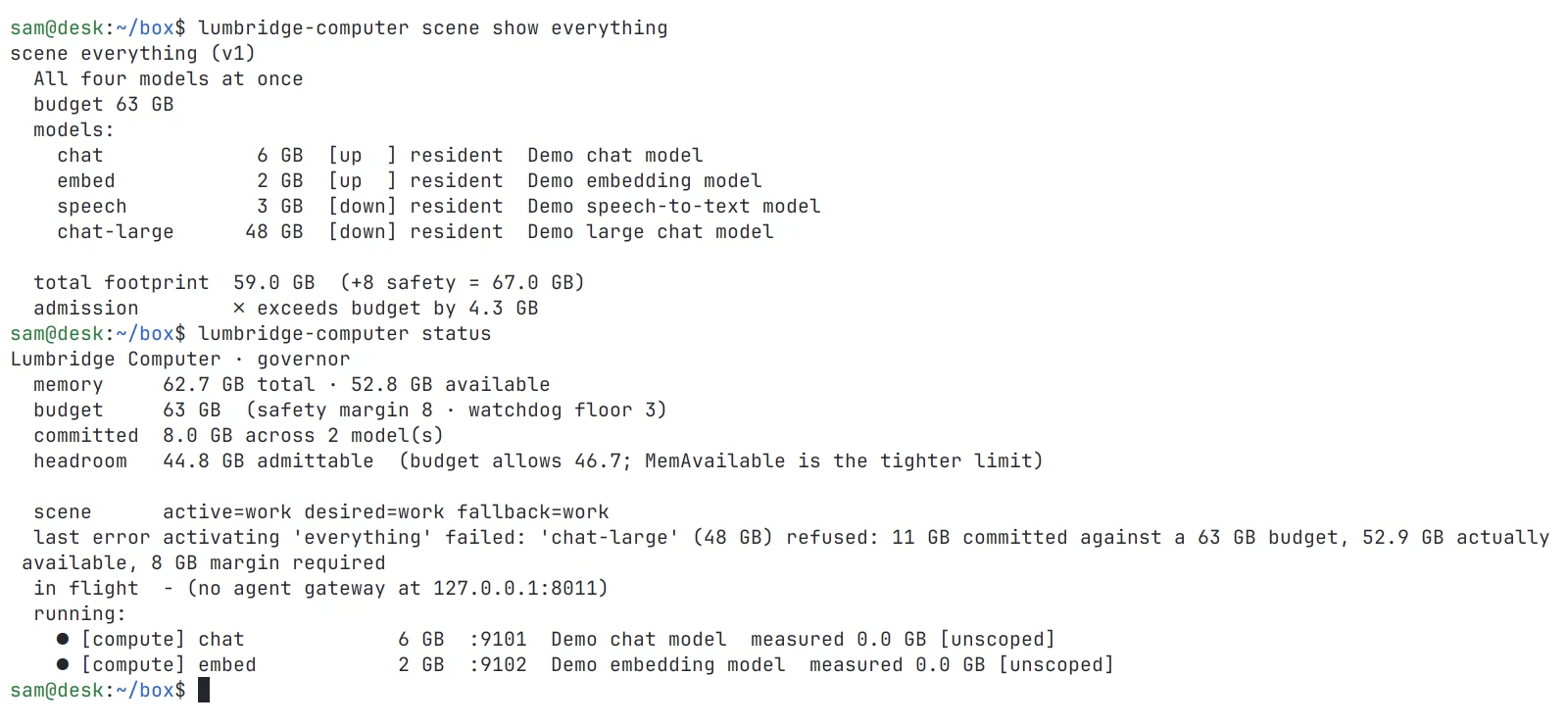
scene show adds up a scene's footprints and says whether it fits. status shows memory, the active scene and the running models. Shown in both themes.
01 · What it does
A Scene is a named list of model ids. Activating one stops what is not in it and starts what is. The whole Scene is checked before anything stops, and a failed switch restores the Scene that was running.
Every model declares a footprint in GB. Each model is admitted only if it fits the budget and the memory the box really has free. A Scene that does not fit is refused and the one that was running is restored. A watchdog stops a model before the machine runs out and locks up.
Clients use one address and pick a model with the model field. Responses stream through unbuffered. A model that is not running gets a clear OpenAI-shaped error with a retry hint, not a hang.
A model can opt in to restarts. The agent checks process, readiness and token counters, and it never restarts an engine that is busy. One failed model does not take the rest of the Scene down.
A Scene can mark a model sleepable or on-demand. An idle model is put to sleep to free memory, and the gateway holds a request while the model wakes or cold-starts.
The agent samples each engine’s own metrics into a local SQLite history: calls, tokens, concurrency and queueing. It records no prompts and no outputs. footprints compares measured memory with what each model declared.
02 · How it works
Scenes say which models run. The registry on the box says how. The resident agent holds the two together and owns every process it starts.
registry/models.yaml maps each model id to weights, a port, a health check and a launch command. A Scene file holds only ids and modes, never commands, so a Scene from someone else can start only what your own registry already allows.
lumbridge-computer agent runs as a systemd unit. It resumes the desired Scene after a reboot, falls back to the last Scene that worked, runs the gateway and the memory floor, and collects metrics. Models survive an agent restart and are adopted again by process identity.
Each model runs in its own systemd scope with a memory limit. A model launched with docker run is tracked by its container, so stop, measurement and health follow the engine and not the docker client.
lumbridge-computer.toml describes the box: memory budget, model root, a self-hosted Supabase stack and the routes served on your Tailscale network. doctor checks the box against it and apply --dry-run prints the drift. Both only read.
03 · Use it
The repo ships a demo registry whose models are small local HTTP servers, so you can watch a Scene switch on any Linux machine.
export LUMBRIDGE_COMPUTER_ROOT=examples/demo
lumbridge-computer scene ls
lumbridge-computer scene activate two --dry-run
lumbridge-computer scene activate two
lumbridge-computer status --json

# on the GPU box, with your own registry: supervisor, gateway, memory floor
lumbridge-computer agent --listen 0.0.0.0:8011 --upstream 127.0.0.1:8001 --floor 3
curl http://gpu-box:8011/v1/models

lumbridge-computer model sleep brain
lumbridge-computer footprints --since 7d
lumbridge-computer doctor --config lumbridge-computer.toml
lumbridge-computer apply --dry-run
04 · Docs
These pages are in the repository and open with it. Until then, the Guide covers the same ground and is readable now.
The manifest format: Scene fields, registry fields, model inheritance, and why a Scene never holds a command.
Routing rules, how the model name is found, streaming behavior, error codes and the flags that tune it.
Scene state on disk, adopting running models, transactional switching, recovery and the supervision rules.
Per-model scopes and limits, measured footprints, admission on measured sizes, and the order the watchdog sheds models in.
Model states, Scene modes, the registry’s sleep block, wake deadlines and the loopback-only rule for a sleepable engine.
The lumbridge-computer.toml reference, every doctor check, and what apply --dry-run reports.
Which engines are understood, which numbers are stored, and the label contract for per-agent usage.
Suites in evals/, eval run against any OpenAI-compatible endpoint, and the time-to-first-token and decode-speed metrics.
Read the Guide chapter: Factory and modelsRequest access to the repository
05 · Works with
Not yet
doctor fails on anything else today.apply only reports drift. The one change it can make is the memory floor for the database stack.model pull yet. You put weights and engine environments on the box yourself.Questions
Any open-weight model you can serve on a local port. The registry holds the launch command, so the engine is your choice. It reads load metrics from vLLM, SGLang and llama.cpp servers, and treats anything else as a generic process with a health check.
No. There is no account and no hosted control plane. Usage history is a local SQLite file with counts and timings, never prompts or outputs. The read-only HTTP API listens on loopback unless you widen it.
The target Scene is validated in full before anything stops. During the switch, a request for a model that is not up yet gets a 503 with a retry hint. If a start fails, the partial Scene is stopped and the previous one is restored.
Yes. lumbridge-computer mcp serves status, models, Scenes and evals as MCP tools. An agent can plan a Scene switch but cannot perform one unless you start the server with --allow-activate.
Apache-2.0. The repository opens on November 13, 2026. Model weights and third-party engines are not covered by that license.
Self-host it, or talk to us about setting it up with you.