Lumbridge Workspace

Gated · opens on November 13, 2026

Lumbridge Mods Panels you write in JavaScript.

Lumbridge Mods is the set of mods, layouts and key bindings we run on top of the App: fleet health, a factories board, tabs inside panes, a notes panel and more. It is also a working method for building mods with several agents in parallel. Teams use it as a starting point for their own.

Lumbridge Mods
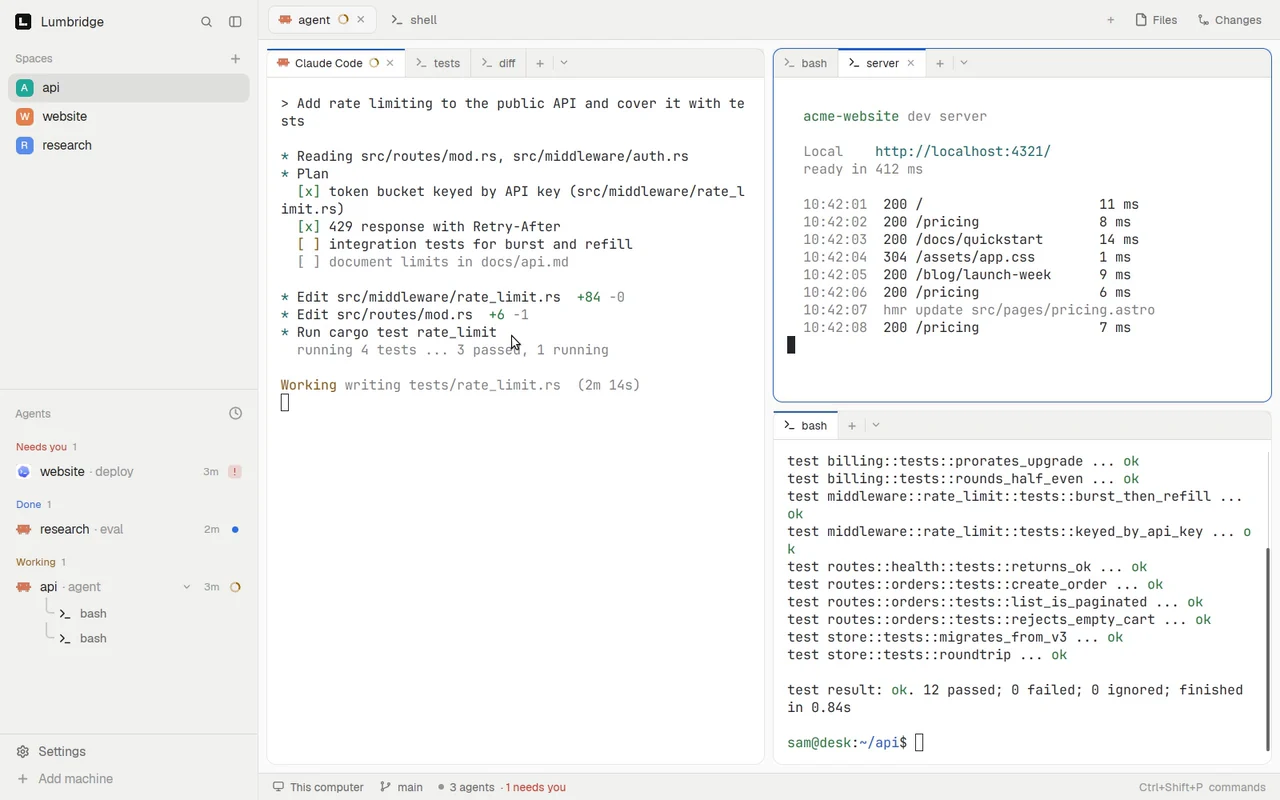
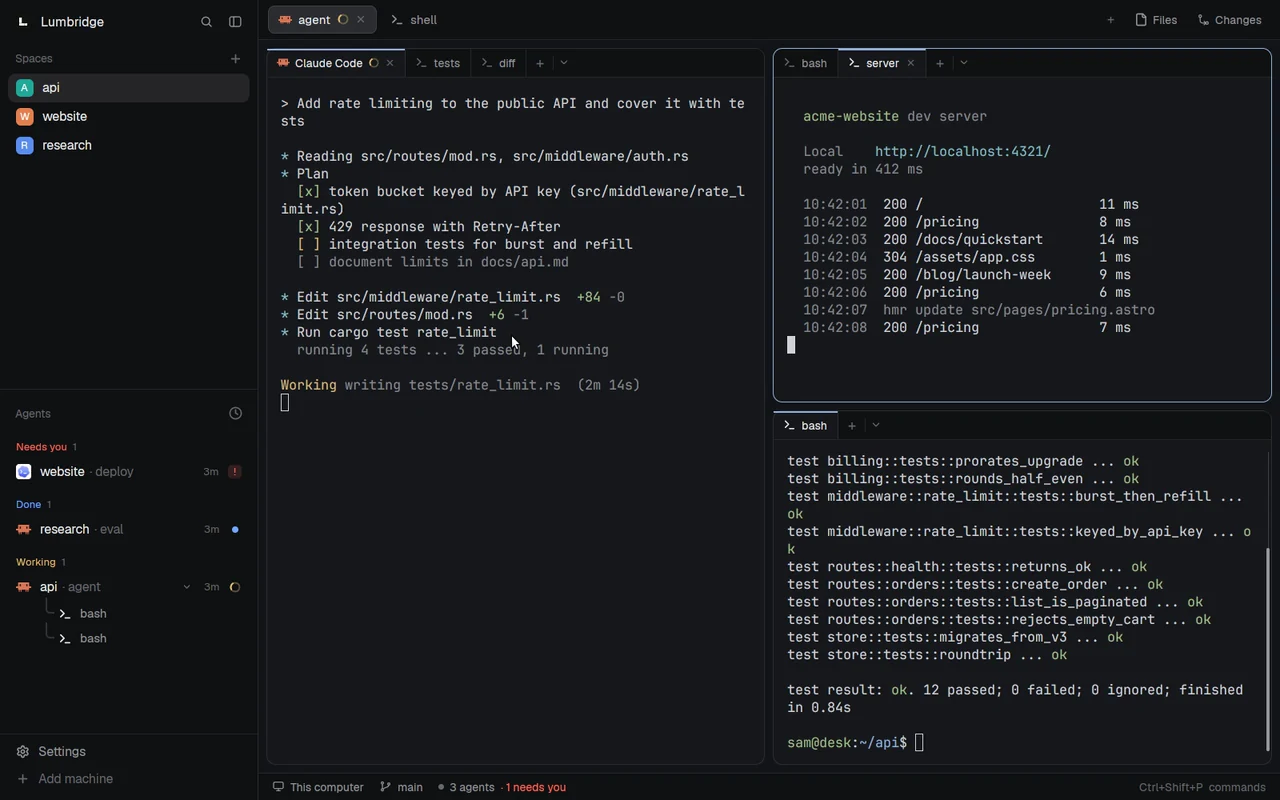
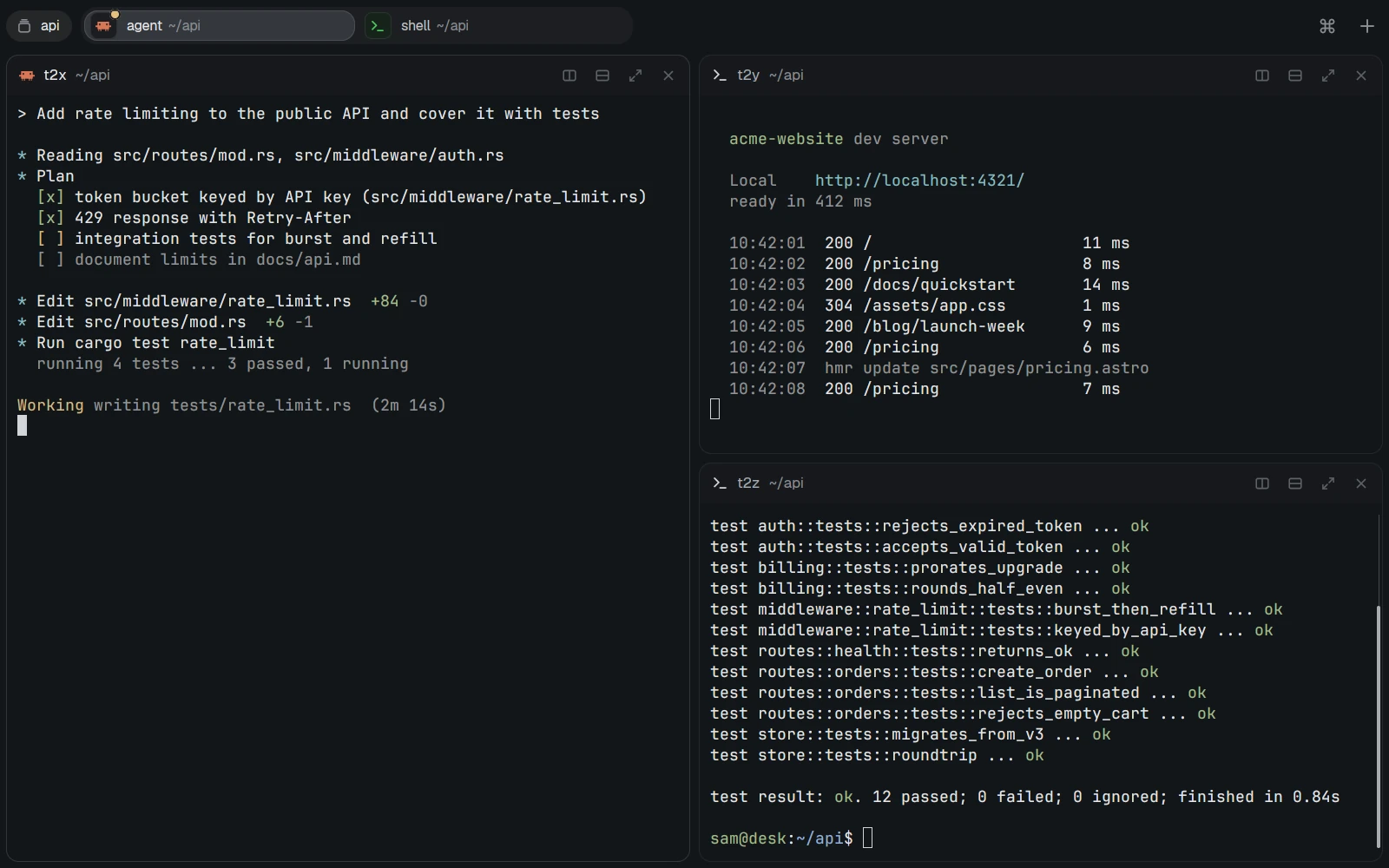
The pane tabs mod in use: a click moves one pane between its agent, a test run and a diff, and another pane between a shell and a dev server.The pane tabs mod in use: a click moves one pane between its agent, a test run and a diff, and another pane between a shell and a dev server.
Several terminals in one pane. Click a tab to switch.Open full sizeOpen full size

Tour

See Mods at work.

Layouts

A layout built from two mods.

The Terminals layout has no sidebar. One mod draws the tab bar across the top. Another draws a small header on each pane.

  • One mod per folder.
  • Save a file and the window reloads.
  • Mods that watch factories, CI or services only read.
Lumbridge ModsDark theme
Lumbridge App in the Terminals layout: no sidebar, a tab bar across the top and a small header on each pane, all drawn by mods.
A layout built from two mods: a tab bar and pane headers, no sidebar.Dark themeOpen full size

Pane tabs

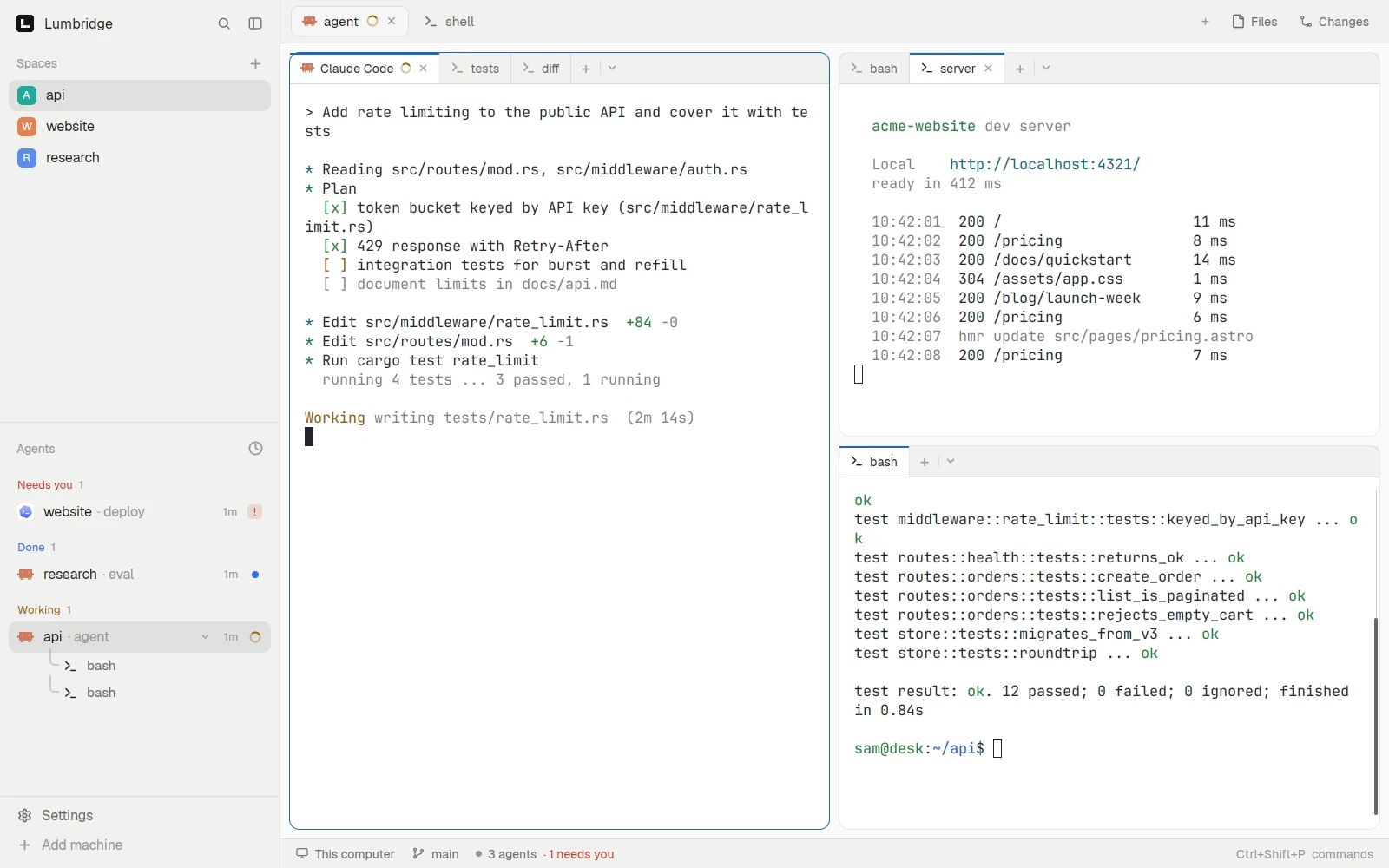
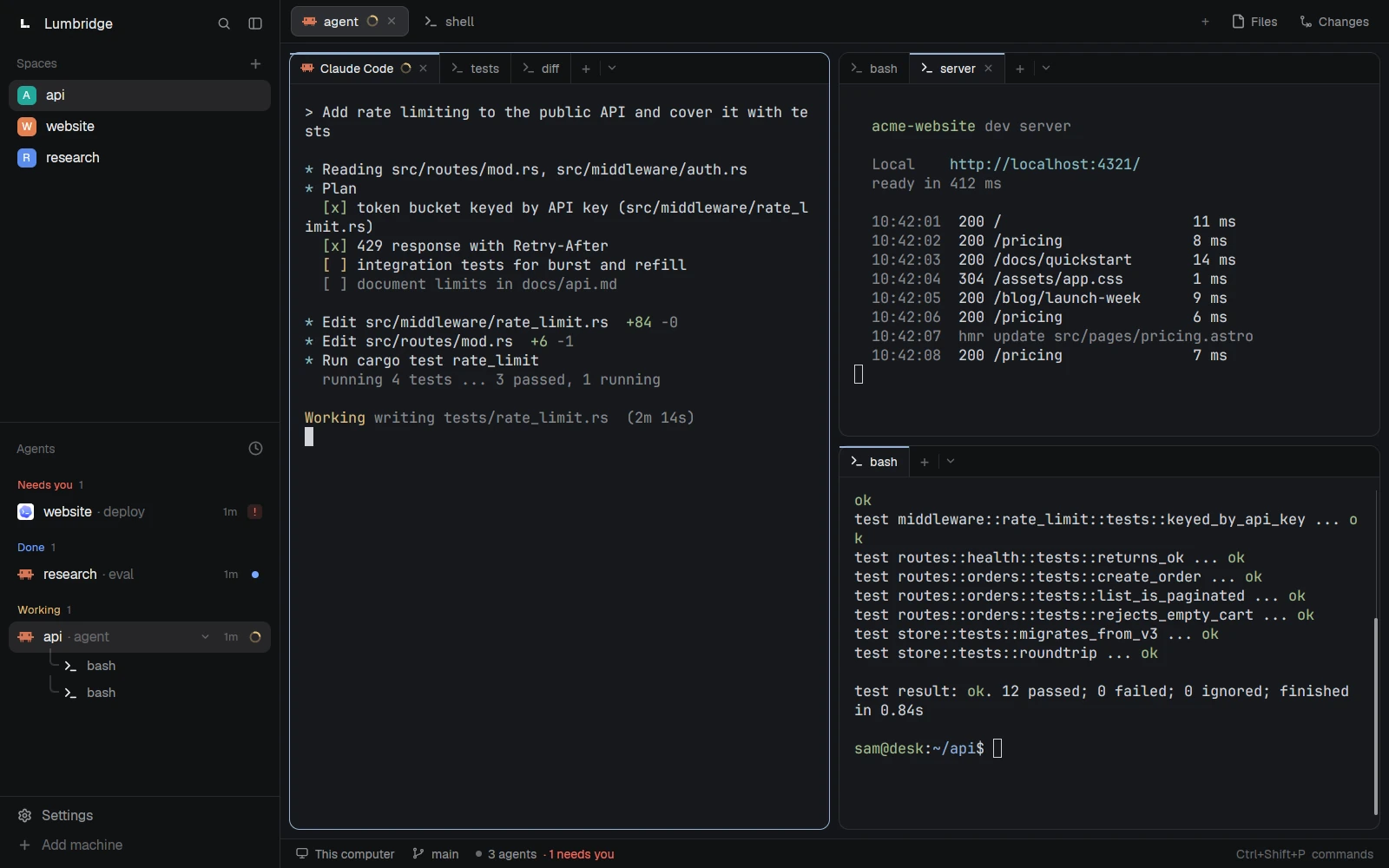
Every pane gets its own tab strip.

An agent, a test run and a diff as tabs of one pane. Shown in both themes.

Light
Lumbridge App with the pane tabs mod: each pane has its own tab strip, with an agent, a test run and a diff as tabs of one pane.
Dark
Lumbridge App with the pane tabs mod: each pane has its own tab strip, with an agent, a test run and a diff as tabs of one pane.
FIG. 1 — From a one-page spec to a panel in the window

01 · What it does

What Mods does today.

Fleet health

A sidebar panel with one row per machine: load, memory, disk, service dots and alerts grouped by name. Click a machine for details and actions. It reads the lumbridge-fleet feeder, which queries Prometheus and Alertmanager.

Tabs inside a pane

The lumbridge-tabs layout gives every pane its own tab strip. Add a shell or pick an agent from a menu, rename a tab with a double-click, and move between tabs with keys.

Factories and CI boards

One board shows every factory: busy slots and workflows grouped by what needs a person, what is stuck, running or done. Another lists CI runs, failing first. Both are read-only.

Favorites, move and restore

Star a terminal and it moves to a Favorites space; unstar it and it goes home. The right-click menu adds Move to. After a reboot, the restore mod offers to put each pane’s Claude Code session back, using labels set by a hook.

Palette and notebook

One key opens a fuzzy list of your own actions, such as a machine’s journal or failed units. The notebook panel lists a folder of Markdown notes and opens one in lumbridge-notes in a split.

A workflow for building mods

Scripts scaffold a mod, check it, install it on this screen or another, and merge a wave of builder branches. Written rules keep parallel builders out of each other’s folders.

02 · How it works

Plain files, copied into the App home

There is no build step. A mod is a folder with main.js and mod.json, and the App runs it.

  1. 2.1

    One mod per folder

    Every mod is named lumbridge-something and never shadows a mod the App ships. The App refuses imports from outside a mod’s folder, so shared helpers live in one kit file that a script copies into each mod; the check fails on a stale copy.

  2. 2.2

    Derived layouts, merged keys

    Our layout is generated from the App’s shipped layout by a script, so it picks up changes when the App updates. Key bindings and menu entries are merged into your own files: added where free, conflicts reported, a backup kept.

  3. 2.3

    Data comes through the App

    Mods read files and run commands with the App’s API, on this computer or on a connected machine. Panels poll gently, every 15 seconds for live health and slower for the rest, and keep the last good data when a machine is offline.

  4. 2.4

    Read-only by default

    Mods that look at factories, CI, services or alerts only read. Anything that changes a machine needs its own spec section and a confirm dialog before it ships.

03 · Use it

Scaffold a mod, check it, see it in the window

Run these from a checkout of the repo, with lumbridge-app on your PATH.

desk is an SSH alias for another screen. ci.sh needs no window and no Core.
scripts/new-mod.sh standup "Standup"
scripts/check.sh lumbridge-standup
scripts/install.sh lumbridge-standup
lumbridge-app do mod.open --name lumbridge-standup
lumbridge-app status
scripts/shot.sh standup
scripts/install.sh
scripts/install.sh --host desk
lumbridge-app do layout.switch --name lumbridge
scripts/ci.sh

04 · Docs

The Mods manual.

These pages are in the repository and open with it. Until then, the Guide covers the same ground and is readable now.

  1. 01

    Install

    Check, install and switch to the layout, and how to undo it.

  2. 02

    Rules for mod authors

    Naming, one owner per folder, copies not symlinks, read-only by default, gentle polling, no secrets.

  3. 03

    Work loop for agents

    The skill an agent follows: orient, scaffold, build against the spec, check, look at it live.

  4. 04

    Specs

    One spec per mod with its status, data sources, interface and done-when.

  5. 05

    Building in parallel

    How a wave runs: one spec per builder, one worktree each, one integrator who merges.

  6. 06

    Traps

    A numbered list of things that went wrong while building mods, with the fix for each.

  7. 07

    Checks and CI

    What check.sh and ci.sh verify, and the logic tests that run without a window.

Read the Guide chapter: The workspaceRequest access to the repository

05 · Works with

One part of one system.

Not yet

  • Several mods read our own paths and data sources. Edit them before use on another fleet.
  • No mod registry or package manager: you clone the repo and run install.sh.
  • The crew mod, for handing work to background agents, is a spec only.
  • The repo has no LICENSE file yet.
FIG. 2 — Where Mods sits in Lumbridge

Questions

Questions about Mods.

Do I need this repo to use the App?

No. The App ships its own layouts and mods for spaces, agents, tabs, files and menus. This repo adds ours on top and shows how to write your own.

What are mods written in?

JavaScript that describes native interface elements. There is no HTML, CSS or web view. The App writes type files for its API on every start, and those are the reference.

Does it phone home?

The repo has no telemetry. A mod can fetch URLs and run programs, so each one talks to what its code names: your monitoring, your code host, your machines. Read a mod before you install it.

How do agents work with it?

Agents build the mods. The repo carries the rules and a skill file, lumbridge-app check verifies a mod without a window, and every click path is also a command, so an agent can drive it with lumbridge-app do.

What is the license?

Apache-2.0, the same as the App. The repository is private today and opens on November 13, 2026.

Want Mods running for your team?

Self-host it, or talk to us about setting it up with you.