Lumbridge Workspace

Gated · opens on November 13, 2026

Lumbridge App One window, every agent.

Lumbridge App is a desktop app for terminals and coding agents. You keep work in spaces, see which agents need you, and leave terminals running when you close the window. Its whole interface is files, so a person or an agent can change it.

Lumbridge App
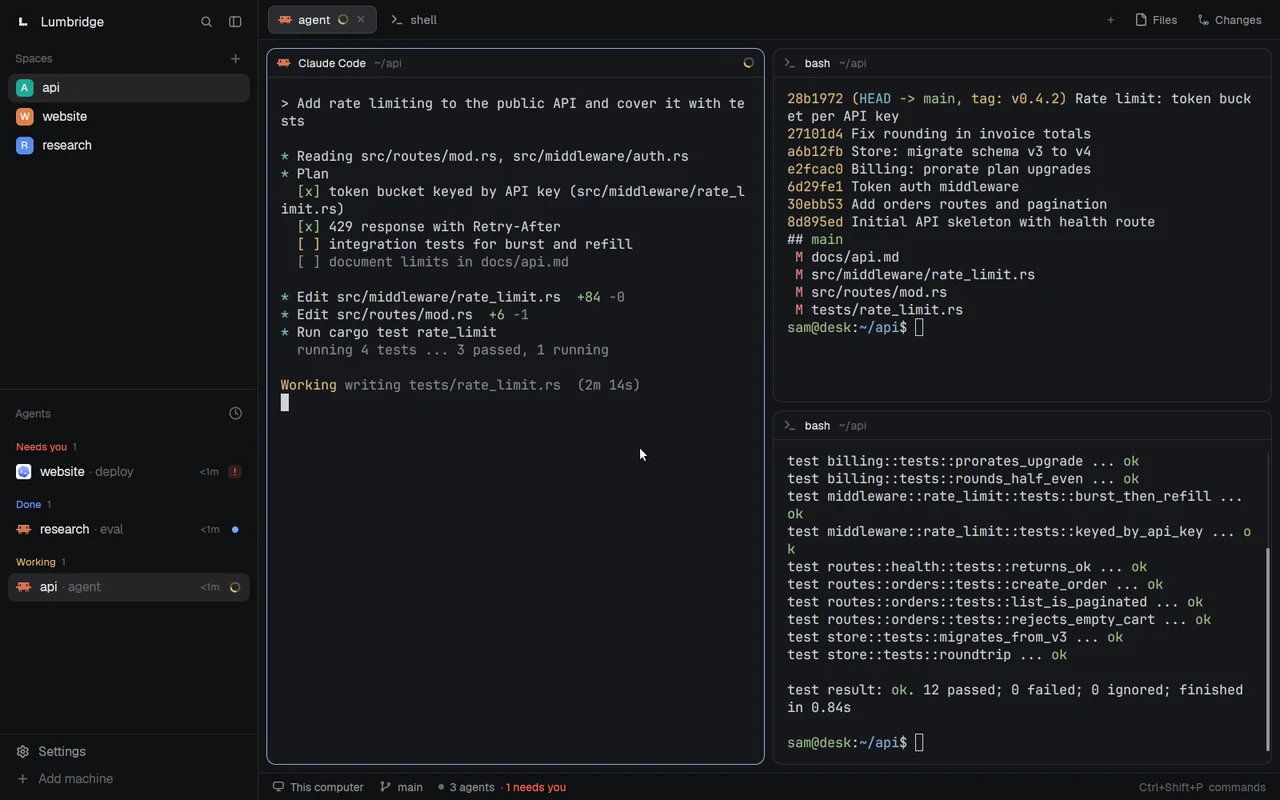
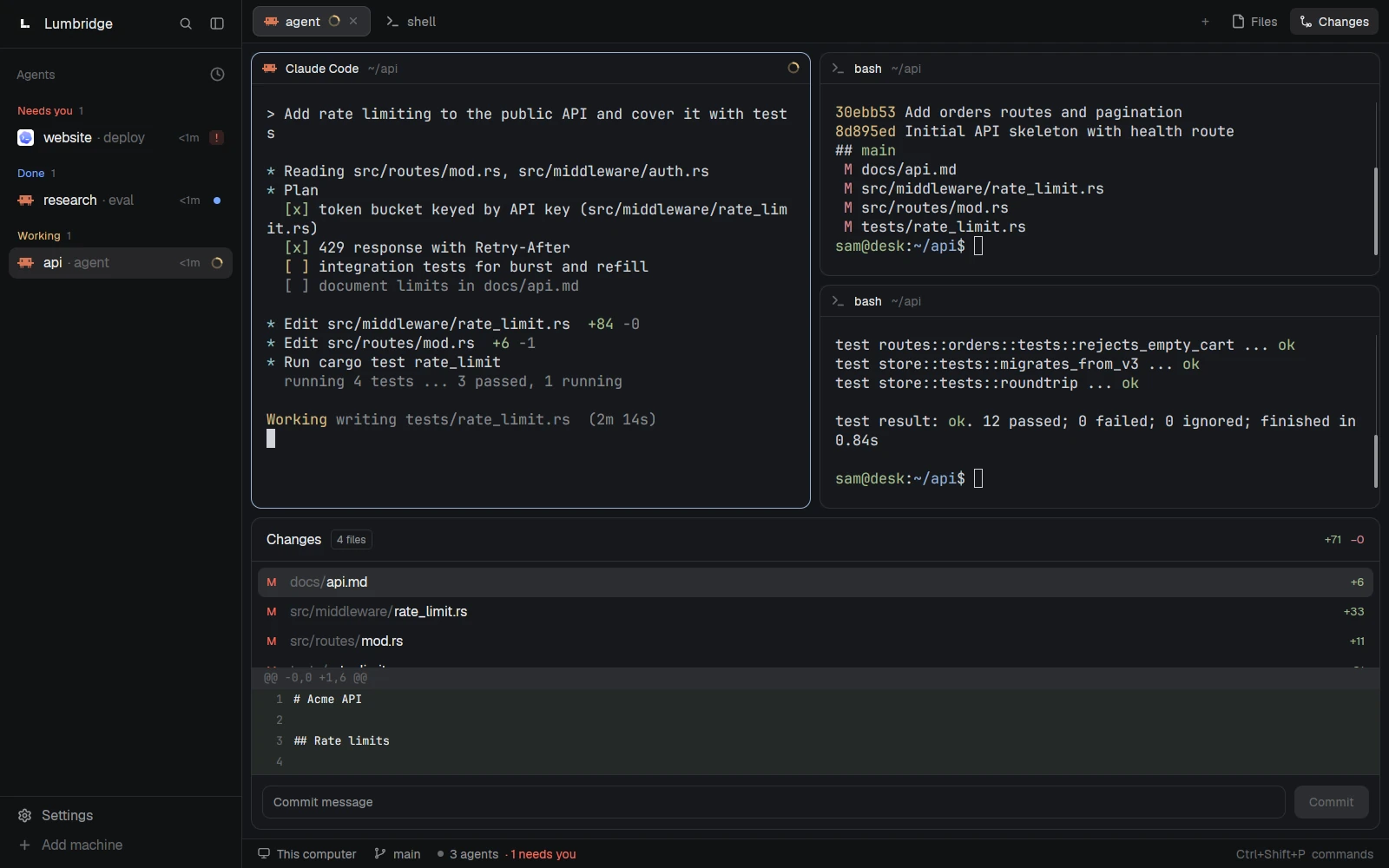
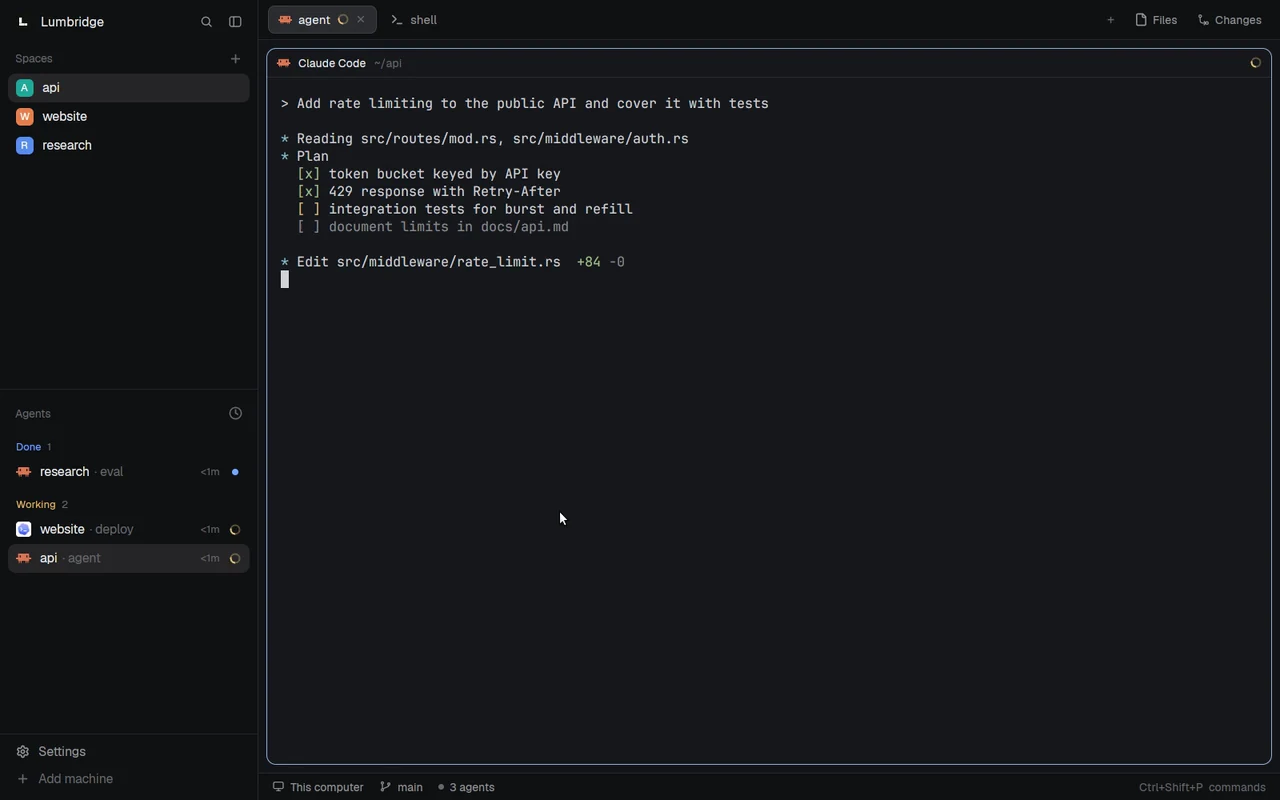
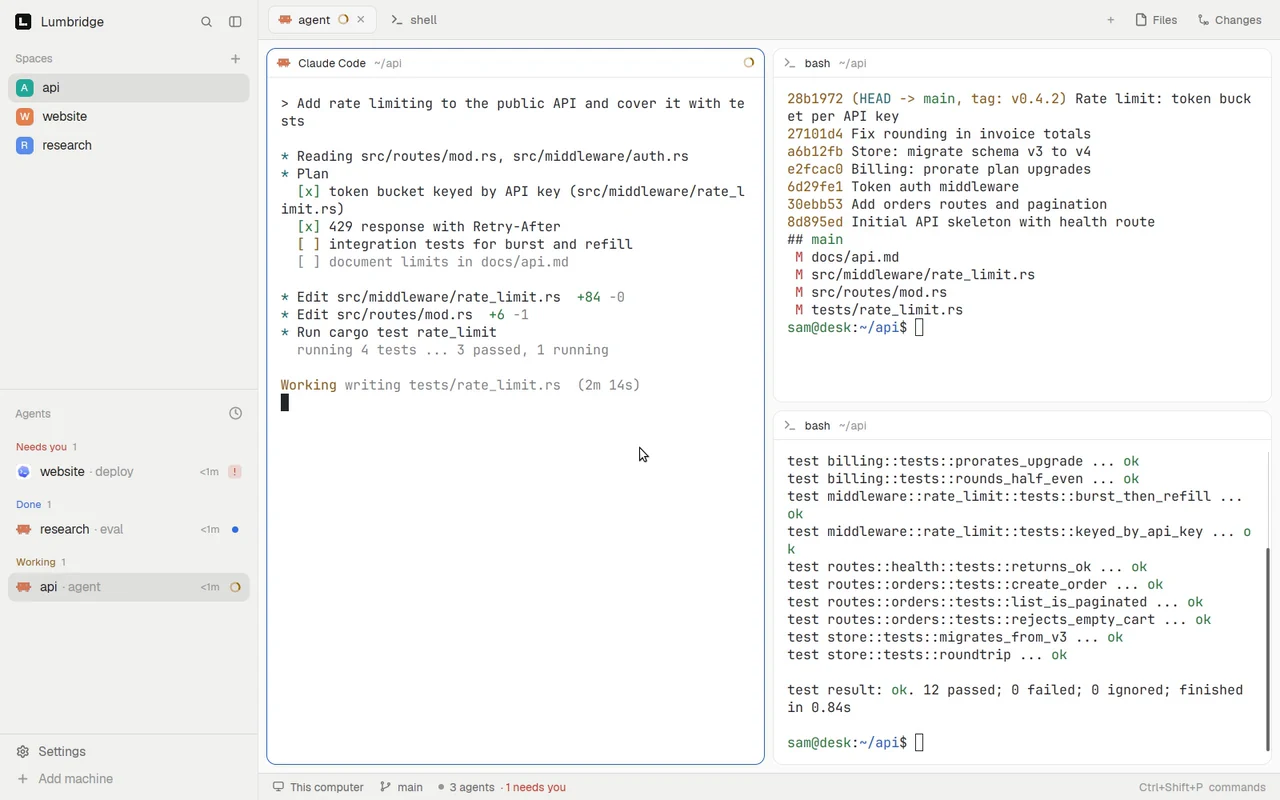
Lumbridge App at work: an agent edits code in one pane, the pane splits for a test run and a diff, another agent asks to deploy, and a person answers it from the agents list.Lumbridge App at work: an agent edits code in one pane, the pane splits for a test run and a diff, another agent asks to deploy, and a person answers it from the agents list.
Three spaces, three agents. Split a pane, run the tests, answer the agent that needs you.Open full sizeOpen full size

Tour

See App at work.

Layouts

Arrange the window your way.

Drag a divider to resize. Move a pane by its grip. Collapse the sidebar or open the changes panel. Then switch the whole window to a layout of your own.

  • A layout is a file in the app home.
  • Save it and the window reloads.
  • A broken edit keeps the last good version.
Lumbridge App
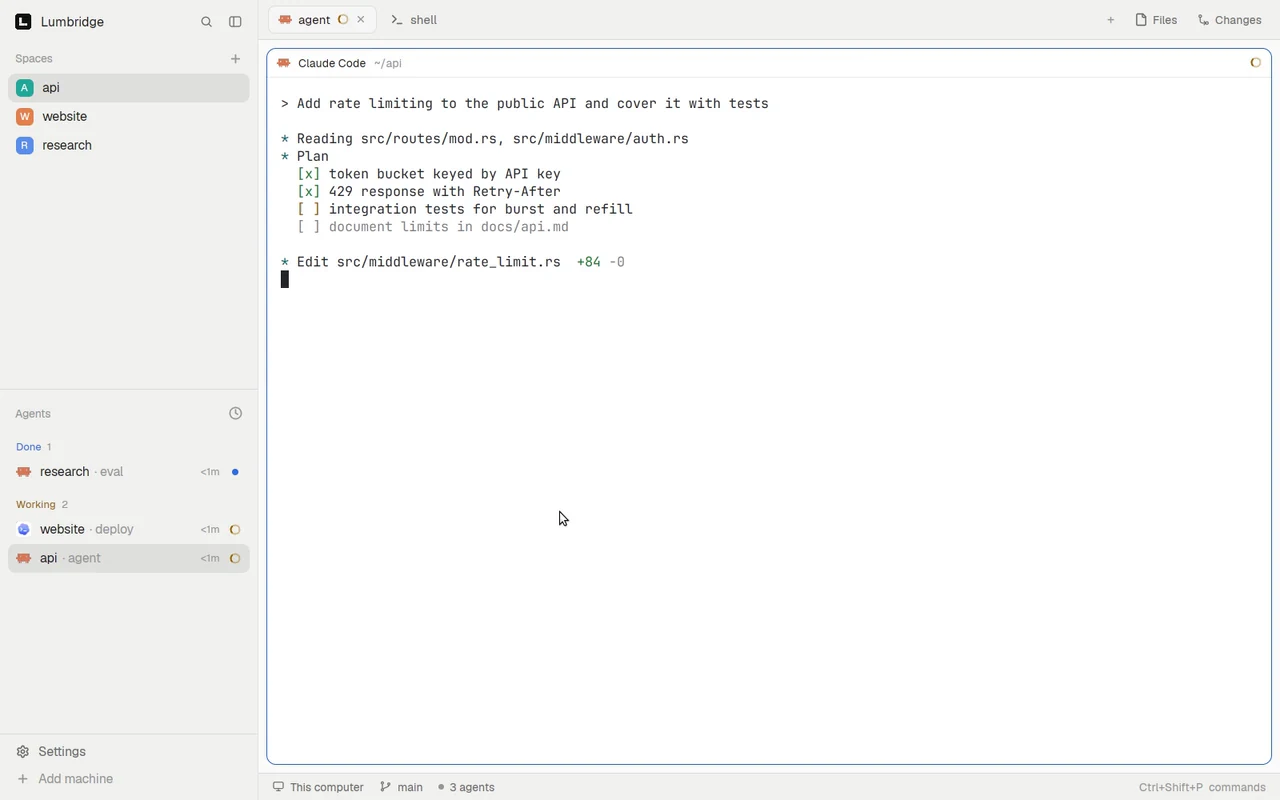
Lumbridge App changing shape: a divider is dragged, a pane is moved by its grip, the sidebar collapses, a changes panel opens, and two personal layouts are applied.Lumbridge App changing shape: a divider is dragged, a pane is moved by its grip, the sidebar collapses, a changes panel opens, and two personal layouts are applied.
Resize, move and rearrange. Then switch the whole window to a layout of your own.Open full sizeOpen full size

Personal layouts

Same terminals, different window.

Two layouts written for this demo. Switching between them does not stop a terminal: Core keeps running them.

Lumbridge App
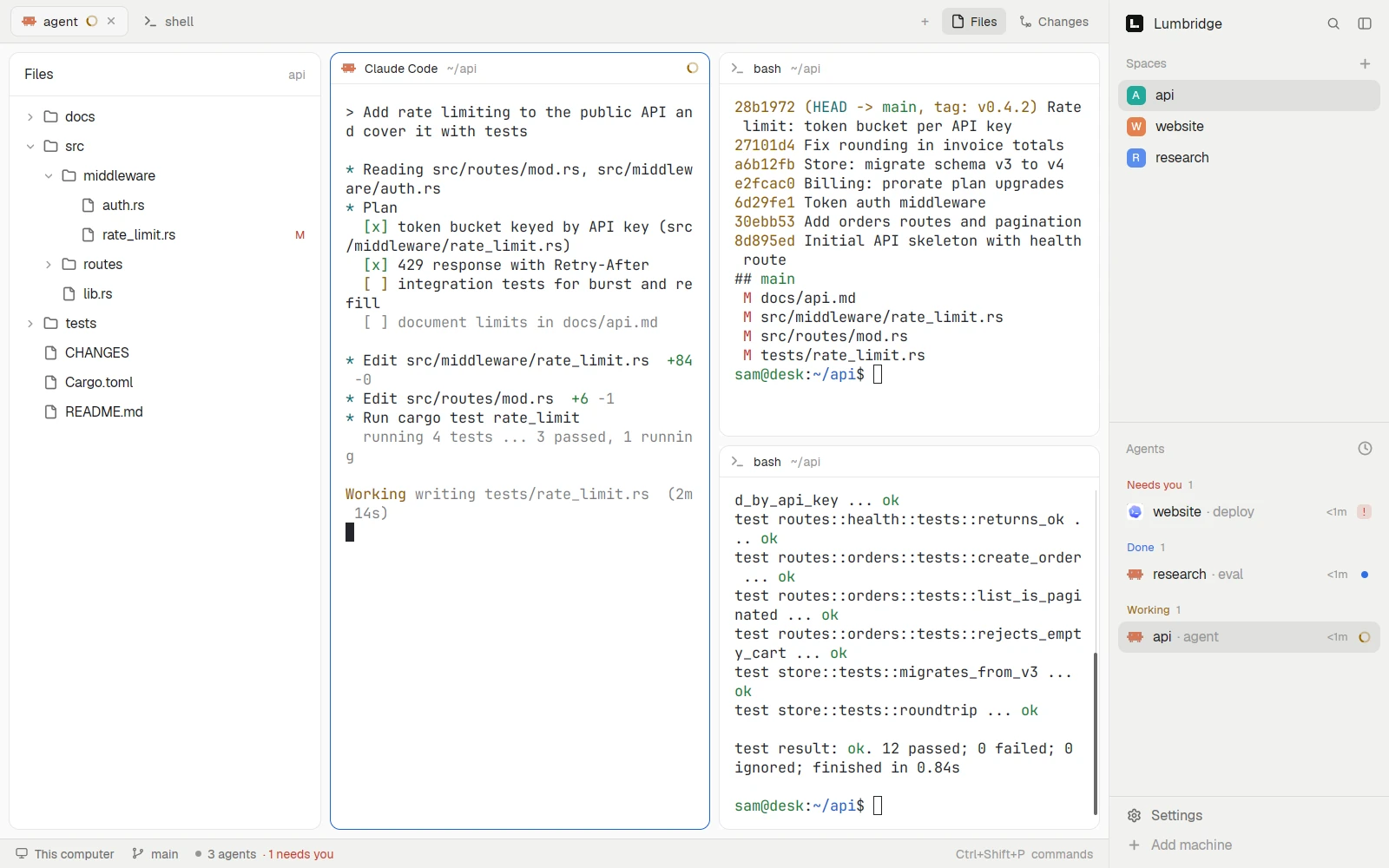
Lumbridge App in a personal layout: a file tree on the left, terminal panes in the middle, spaces and agents on the right.Lumbridge App in a personal layout: a file tree on the left, terminal panes in the middle, spaces and agents on the right.
A personal layout: files on the left, sidebar on the right.Open full sizeOpen full size
Lumbridge App
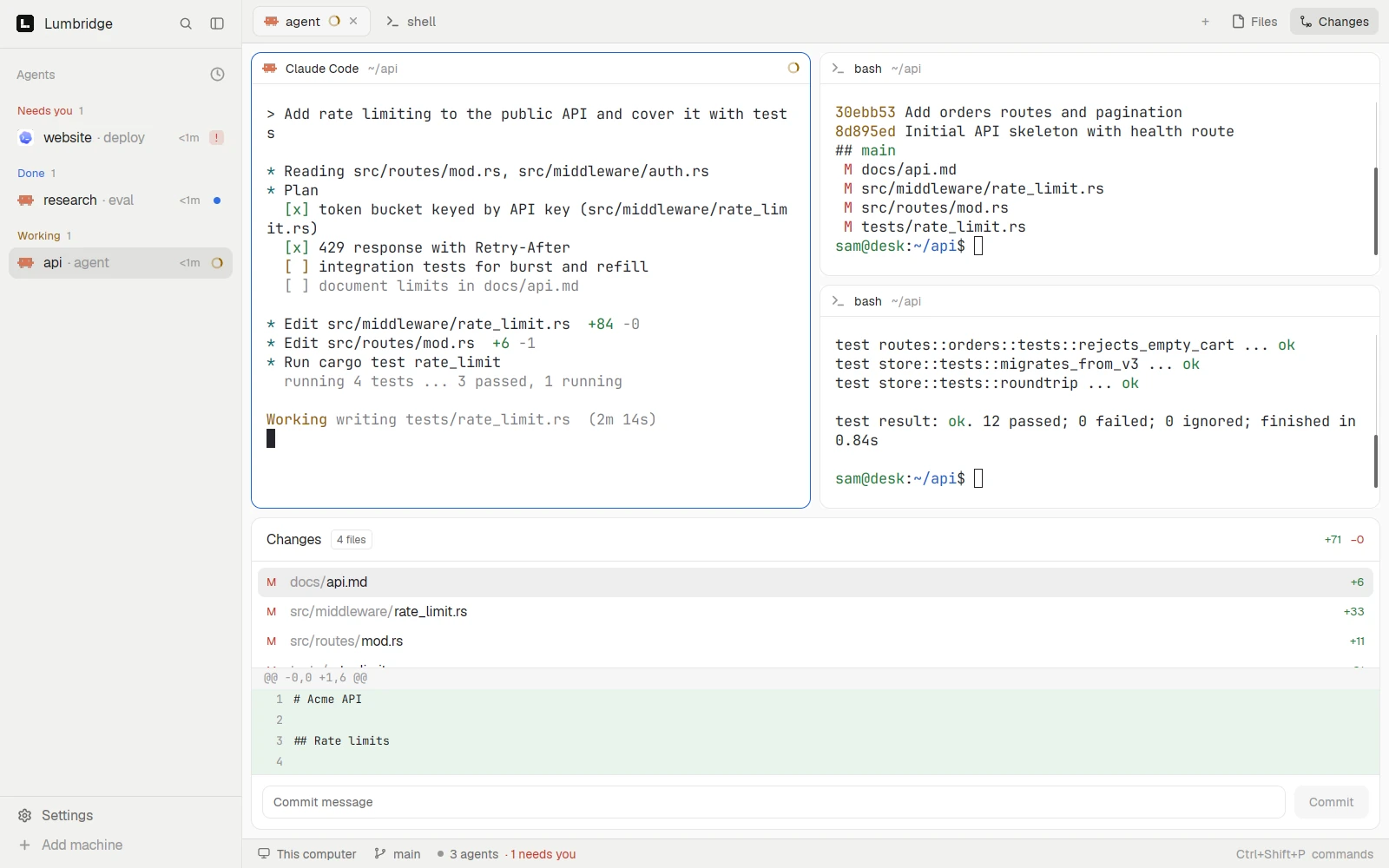
Lumbridge App in a personal layout: a narrow agents list on the left and the changes panel as a drawer under the terminal panes.Lumbridge App in a personal layout: a narrow agents list on the left and the changes panel as a drawer under the terminal panes.
A personal layout: agents only, with changes in a drawer below.Open full sizeOpen full size

Themes

Light and dark.

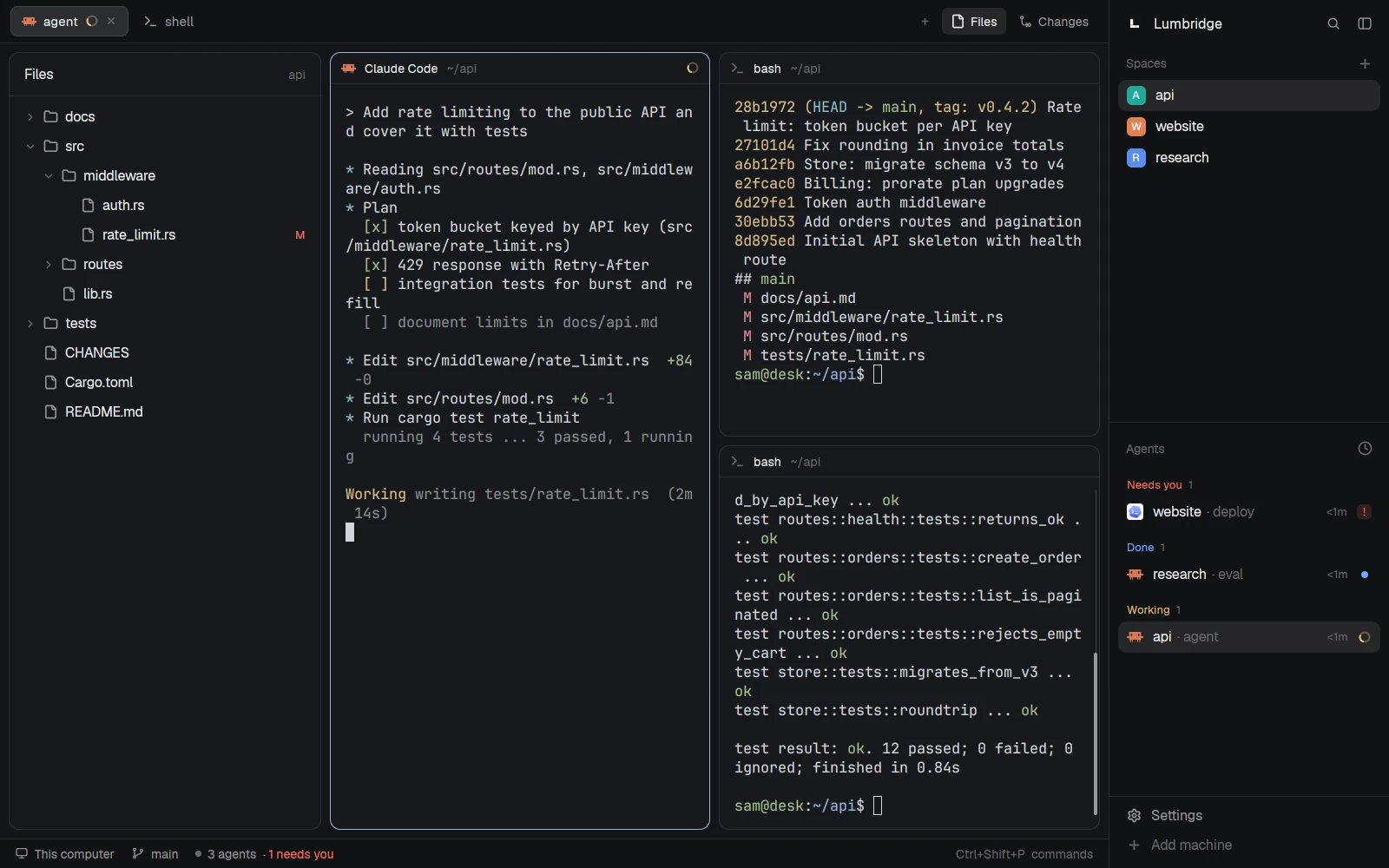
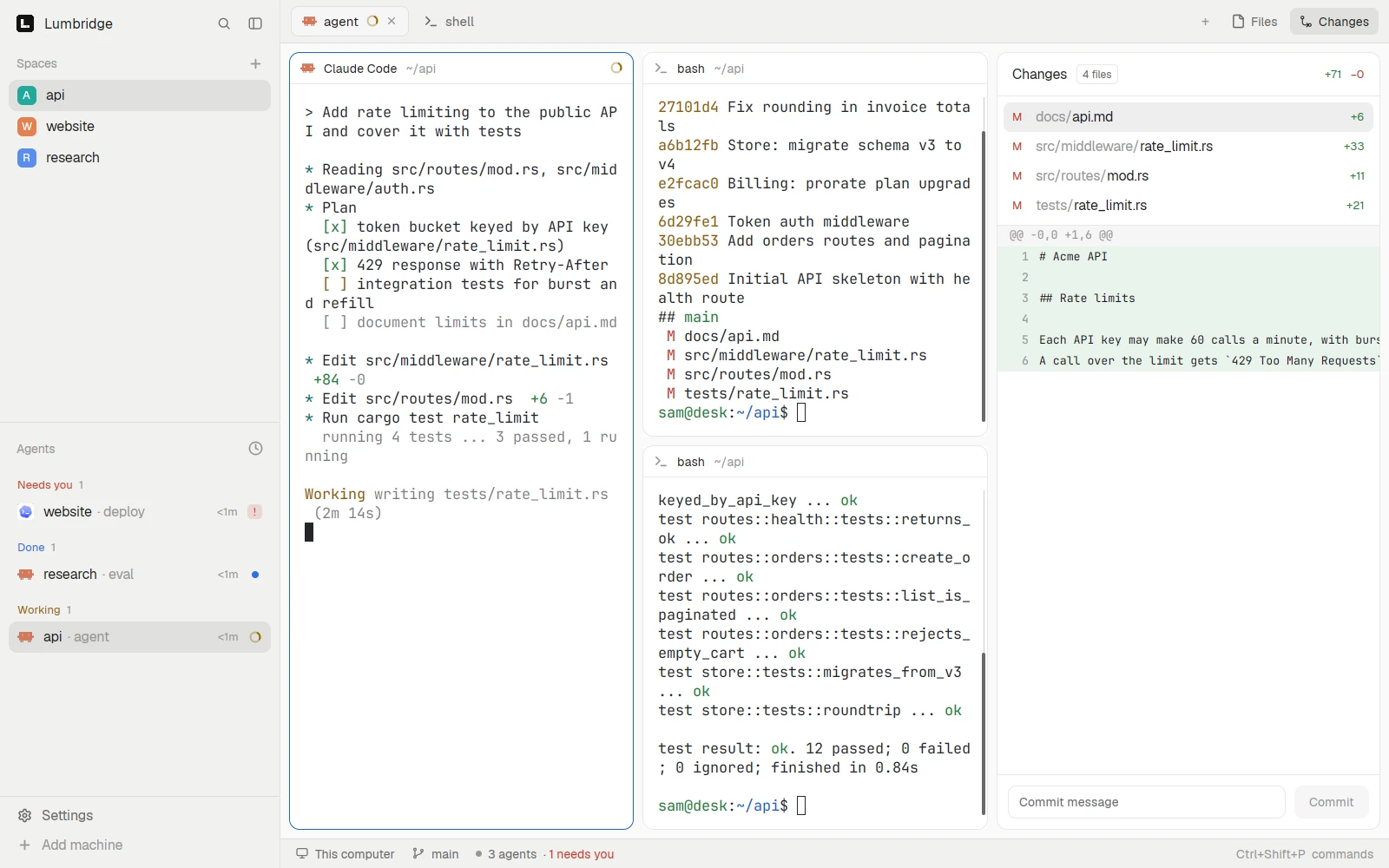
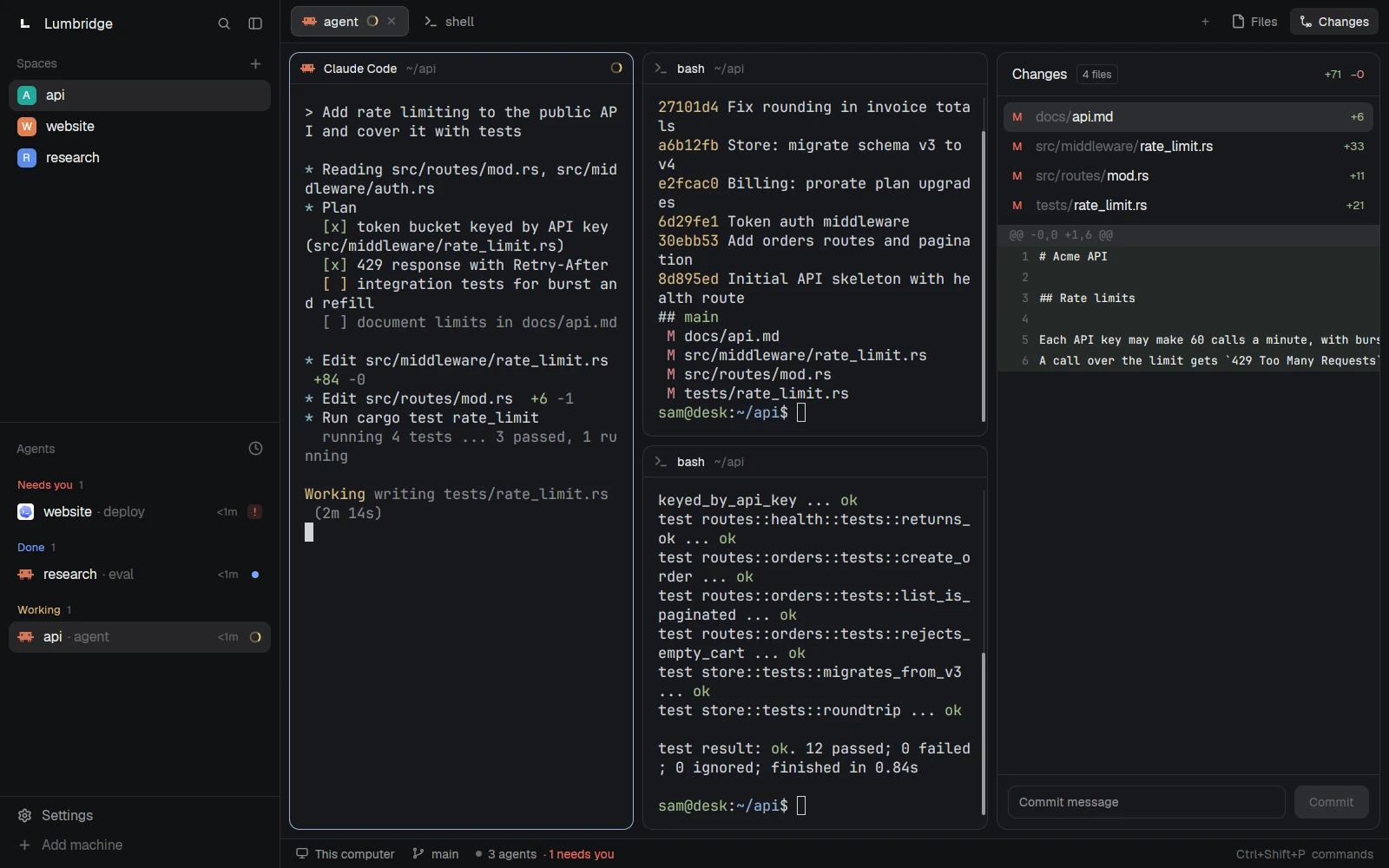
The default layout with the changes panel open, in both themes.

Light
Lumbridge App in its default layout: spaces and agents on the left, three terminal panes, and the changes panel showing a diff on the right.
Dark
Lumbridge App in its default layout: spaces and agents on the left, three terminal panes, and the changes panel showing a diff on the right.
FIG. 1 — The window arranges terminals. Core runs them.

01 · What it does

What App does today.

Spaces, tabs and panes

A space holds work on one machine, usually in one repo. Each space has tabs, and a tab splits into panes that show terminals or mod panels side by side.

An agents list

The sidebar brings agents from all your spaces into one list, including workers started by another agent. Each shows as working, blocked, done or idle. Click one to see it; a worker without a pane opens in a peek over your tab.

Work on other machines

Add an SSH machine in Settings and its spaces run their terminals there. Each machine keeps its spaces, tabs and splits in its own Core, so remote work continues when your laptop sleeps.

Layouts and mods

A layout arranges the window. Mods are small JavaScript programs that draw its panels, menus and dialogs. Save a file and the window reloads it; a broken edit keeps the last good version and reports the error.

A window agents can drive

lumbridge-app ls and status inspect the open window. lumbridge-app do runs any action in it, from making a space to splitting a pane, with named flags or one JSON object.

No network of its own

The App has no updater, no usage telemetry and no feedback upload. It opens no connection itself; remote terminals go through Core over SSH. Settings shows the App and Core versions.

02 · How it works

A client of Core, drawn from files

The App owns the window and nothing else. Terminals, their history and the shape of your work live in Core.

  1. 2.1

    The window and Core

    The App finds lumbridge-core on your machine and connects to it. Closing the window leaves terminals running; closing a pane or tab ends its terminals. After a reboot, kept panes get fresh shells in their last folders.

  2. 2.2

    Structure lives with the machine

    Spaces, tabs and splits are stored in a document in each machine’s Core. Every connected screen sees the same structure and live terminals, and keeps its own focus and zoom.

  3. 2.3

    Seen and pinned are labels

    Which agents you have looked at and which are pinned are labels on the Core terminal. Look at an agent on one client and it stops showing as done on the others.

  4. 2.4

    The interface is a folder

    Settings, keys, layouts and mods are files in the app home. On every start the App writes an agent guide and API type files beside them, so an agent asked to change the window works from the current API.

03 · Use it

Inspect the window, then change it

The same commands work from a shell, a script or an agent. lumbridge-app --skill prints the agent guide.

lumbridge-app do prints the IDs it created. lumbridge-app commands works without an open window.
lumbridge-app
lumbridge-app ls
lumbridge-app status
lumbridge-app do space.new --name api --machine build-1 --folder /srv/api
lumbridge-app do tab.new --name "fix login" --argv '["claude"]' --task "Look at the login bug"
lumbridge-app do pane.split --direction right
lumbridge-app do layout.switch --name terminals
lumbridge-app commands
lumbridge-app check ~/.config/lumbridge-app/mods/my-panel
lumbridge-app shot window.png

04 · Docs

The App manual.

These pages are in the repository and open with it. Until then, the Guide covers the same ground and is readable now.

  1. 01

    Install and build

    Build from source with Rust and Zig, then run the Linux or macOS install script.

  2. 02

    Spaces, tabs and agents

    How work is arranged, what each agent status means, and peeking at a worker.

  3. 03

    Machines

    Adding an SSH machine and what runs where.

  4. 04

    Commands

    Every window action and its arguments, generated from the App.

  5. 05

    Layouts and mods

    The guide to layouts, settings, overlays, mod code and the App API.

  6. 06

    Keys

    The keys.json format and how to rebind any command.

  7. 07

    Shared state in labels

    The seen and pinned labels that every Lumbridge client reads and writes.

  8. 08

    Security and privacy

    What a mod can do, what stays on disk, and the local control socket.

Read the Guide chapter: The workspaceRequest access to the repository

05 · Works with

One part of one system.

Not yet

  • No packaged installer: you build it from source.
  • Windows code is in the tree, but there is no install script and we do not test it.
  • Mods are not sandboxed. A mod can run programs and read files as you.
FIG. 2 — Where App sits in Lumbridge

Questions

Questions about App.

Did this start as a fork?

Yes. Core, the App and the TUI began as forks of an open-source project for running coding agents, also under Apache-2.0, and we stay on that license. The project is named and linked in the credits on the Open source and Community pages. Compare says where it is ahead of us today: it is released, and we are not.

What does it run on?

Linux and macOS, built from source. It draws with the GPU through GPUI and needs Lumbridge Core installed on the same machine.

Does it phone home?

No. The App never checks for updates, downloads anything or sends usage data. Mods are the exception: a mod you install can fetch URLs and run programs, so read it first.

How do agents talk to it?

An agent uses lbc to run and coordinate programs, and lumbridge-app to change what you see. lumbridge-app do goes through a local control socket in the app home.

Which agents does it support?

Any program that runs in a terminal. The new-terminal menu ships entries for coding agents such as Claude Code and Codex, and you add your own in programs.json. Status shows for agents that report it.

What is the license?

Apache-2.0. The repository is private today and opens on November 13, 2026.

Want App running for your team?

Self-host it, or talk to us about setting it up with you.