

The numbers
Before and after, on held-out mail.
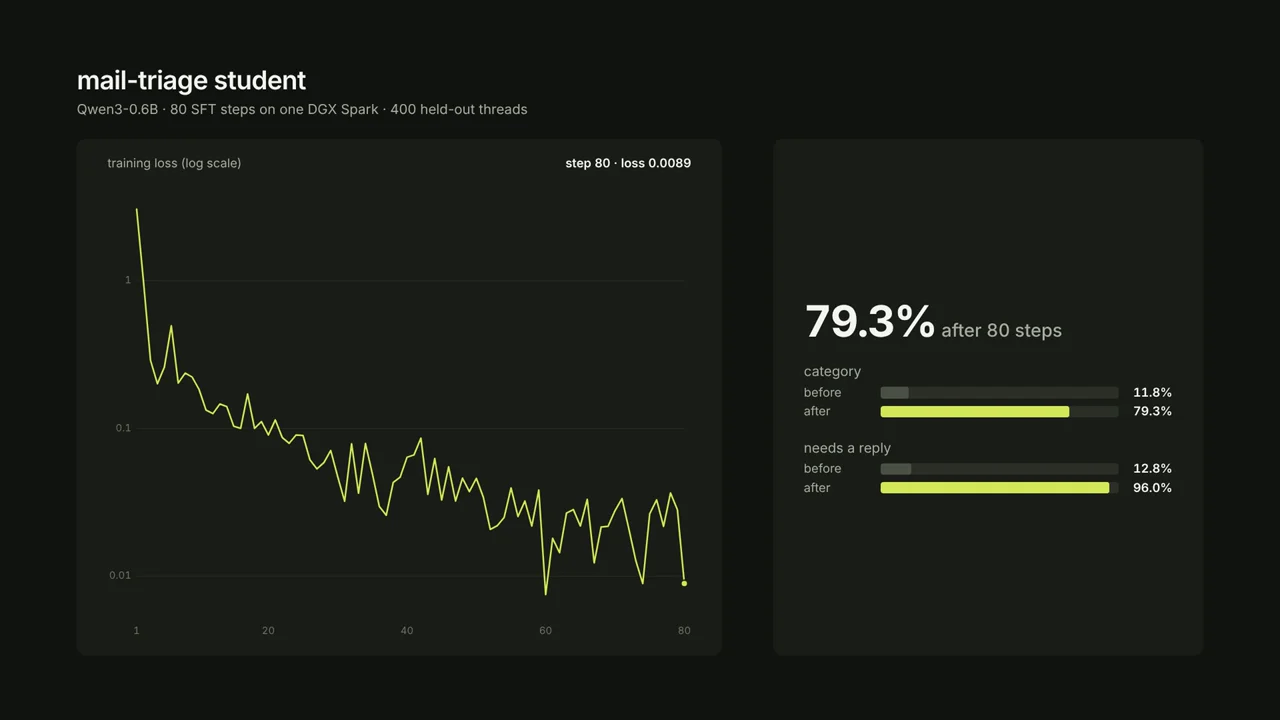
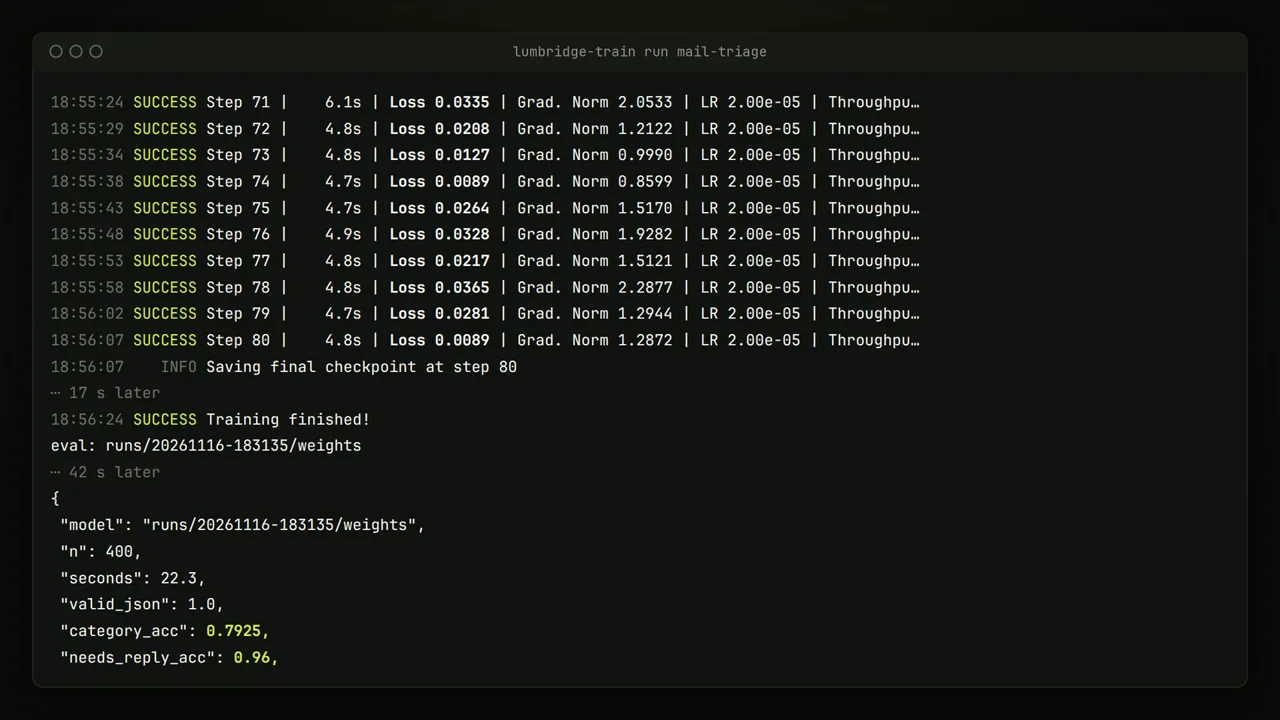
One run as a chart: the loss over 80 steps, then accuracy on 400 threads the model never saw in training.
- Category: 11.8% before, 79.3% after
- Needs a reply: 12.8% before, 96.0% after
Lumbridge Compute
OpenLumbridge Train turns examples you already have into a small model that makes one decision: which team a ticket goes to, whether a message needs a reply. It builds a dataset, fine-tunes a small open model on your GPU and puts the new version live if it beats the old one on held-out data.
Tour
The numbers
One run as a chart: the loss over 80 steps, then accuracy on 400 threads the model never saw in training.
What it does
A job names its instructions and answer fields: one choice field plus optional true/false fields, answered as one JSON object. Sources, teachers, the split, training, the gate and the training day live in the same file.
Sources read trace archive exports, a SQLite query or JSONL files. A profile command prints counts from an archive and never prints message text.
For answers with too few rows, a teacher model writes made-up inputs with invented names and numbers. A second pass labels each one blind, and rows where both agree are kept.
The newest rows are split off by time as a frozen eval set. The new model goes live if it gains on the chosen metric there and returns valid JSON often enough.
Some model terms forbid training other models on their outputs. Rows from matching model names are marked eval-only: they can grade your model but never enter its training set.
lumbridge-train label serves a page on localhost that shows one example at a time with the teacher’s answer picked. Your answers win over the source in every build and can become the eval set.
How it works
Train uses the Python standard library and nothing else. The heavy work happens in the RL trainer it drives and in the teacher endpoints you name.
build reads every source, applies your labels, drops duplicates, tops up rare answers and splits the newest rows off as the eval set. It writes a run folder you can read before anything trains.
run builds, then calls Lumbridge RL for supervised fine-tuning and exports the weights. The baseline and the new weights are scored on the same frozen set.
A win moves the current link in the job’s folder to the new weights. Every promotion, rejection or hold is appended to promotions.jsonl with both scores, so a rollback is pointing the link back.
Each job picks a training day, and due exits 0 on that day for a timer. A job can train on a rented GPU instead, and the runner refuses unless the job says the data may leave your machines.
Use it
The repository ships an example job that routes support tickets. Point its teacher at any OpenAI-compatible endpoint and it trains on synthetic tickets alone.
# data only: look at the run folder before you train
python3 -m lumbridge_train build jobs/example-ticket-routing.toml

# build, train, score old and new, promote on a win
python3 -m lumbridge_train run jobs/example-ticket-routing.toml

# train and score, but never move the current link
python3 -m lumbridge_train run jobs/example-ticket-routing.toml --no-promote

# confirm or fix labels in the browser at 127.0.0.1:8861
python3 -m lumbridge_train label jobs/example-ticket-routing.toml

# for a timer: exits 0 only on the job's training day
python3 -m lumbridge_train due jobs/example-ticket-routing.toml
Docs
In the repository.
Works with
Not yet
current folder into your own model server.Questions
Not unless you say so. The network calls go to the teacher endpoints in your job file, and training on a rented GPU is refused unless the job sets data_leaves_fleet = true.
A decision with fixed answers: routing, triage and yes/no checks. Open-ended writing does not fit.
Linux with one GPU, Python 3.11 or newer, zstd for trace archives and a working Lumbridge RL checkout.