Guide · Chapter 1
- Chapter 1: Start here
- Chapter 2: Install Core
- Chapter 3: A workspace: the App and the TUI
- Chapter 4: Agents
- Chapter 5: A second machine
- Chapter 6: Notes, Library and Mail
- Chapter 7: Voice and Speak
- Chapter 8: The Factory and models
Start here
What Lumbridge is, what you need on a fresh Ubuntu machine, how the release works, and the order of this guide.
You need
- A machine running a current Ubuntu LTS, with a user that can use sudo
- A network connection for the Rust toolchain and the source
- Access to the repos you want to build (open, or requested at /apply)
Lumbridge is a set of programs you install on Ubuntu and run on your own machines. It is mostly Rust and licensed Apache-2.0. Together the parts give you terminals that stay alive, a desktop app and a terminal workspace for coding agents, notes, a library, mail, speech, a software factory, and a way to serve open models on your own GPU box. This guide walks through them in the order you would set them up.
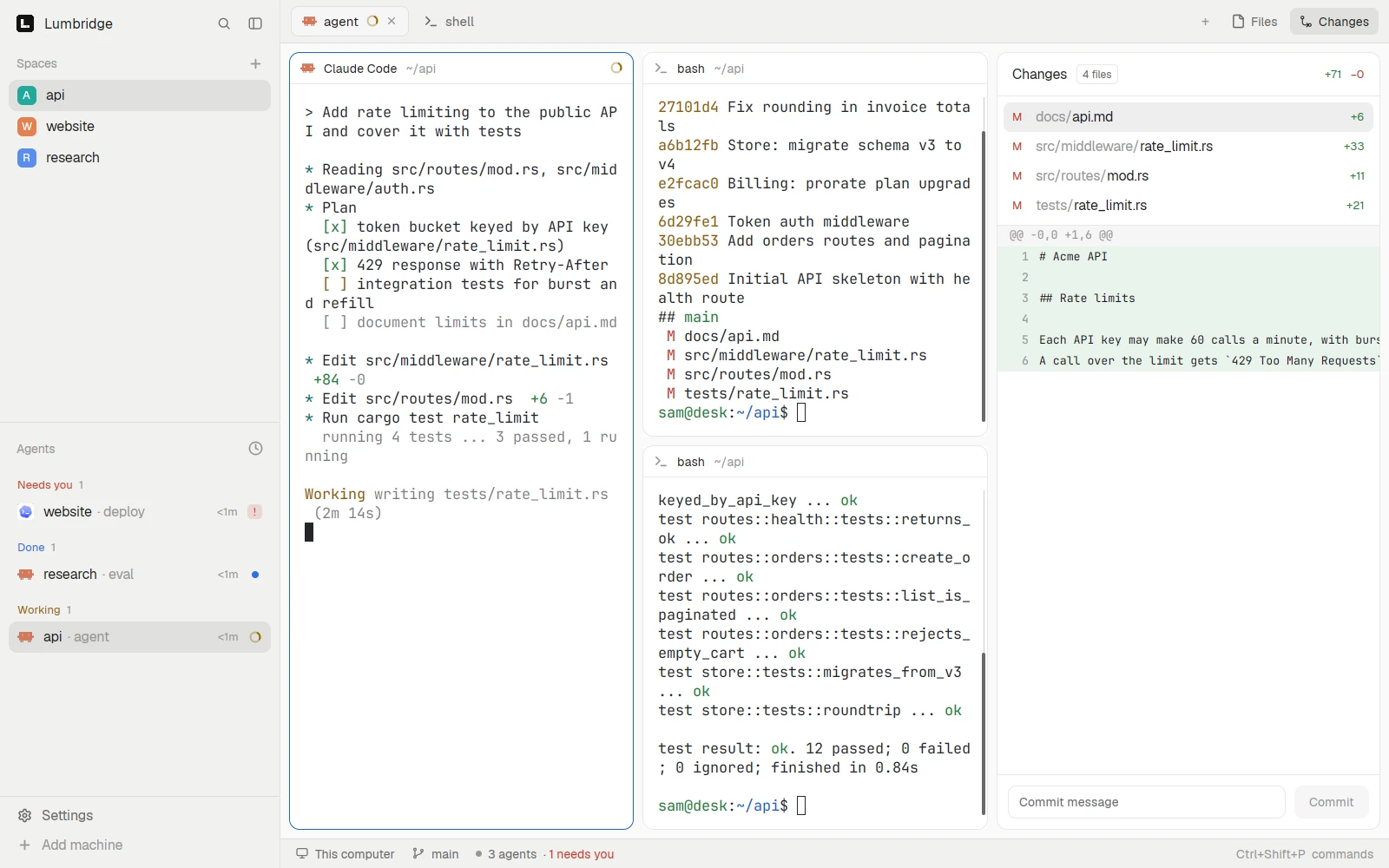
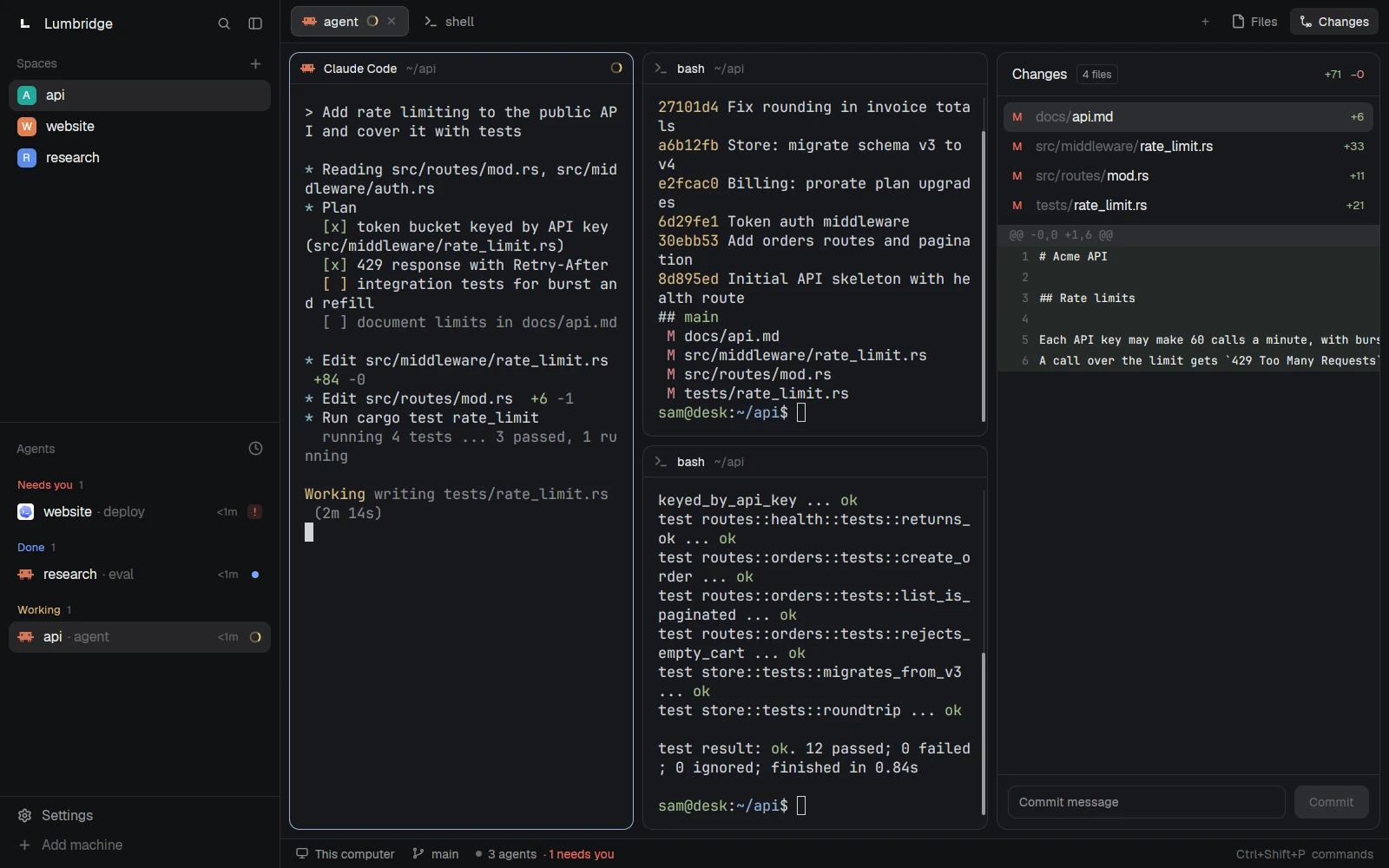
The stack in one picture
- Bare metal: machines you own or rent. A laptop or desk machine, a build server, and later a GPU box if you want your own models.
- Ubuntu: a current LTS release on each machine. Lumbridge is not a distribution. It installs into your home directory on top of the Ubuntu you already run.
- Lumbridge: Core runs the terminals on every machine. The App, the TUI and the phone app are ways to see and steer them. Notes, Library, Mail, Voice, Speak, the Factory and Computer are separate programs you add when you need them.
What you need
- A C toolchain and git, from Ubuntu’s own packages.
- Rust, installed with rustup. Core is built with Rust 1.97.1, and the TUI pins its own version in
rust-toolchain.toml, which rustup fetches for you. - Zig 0.16.0, for the terminal emulation library that Core, the App and the TUI vendor. Ubuntu does not package this version, so install it from the Zig project and put
zigon your PATH. just, a small command runner that Core and the App use for their build recipes.
sudo apt update
sudo apt install build-essential git
rustc --version
zig version
0.16.0
cargo install just
just --version
How the release works
All twelve parts open on November 13, 2026. Each part lives in its own repository at github.com/lumbridge-corp/<repo>, for example lumbridge-core. You clone a part and build it. Until then the repositories are private, and the clone commands in this guide will fail for you.
The order of this guide
- CoreBuild the terminal runtime and run a program that outlives your session.
- WorkspacePut a window on it with the App, or work in a terminal with the TUI.
- AgentsRun a coding agent, let it start another, and take over when it needs you.
- MachinesAdd a second machine over SSH and run work there from the first.
- WorkNotes, Library and Mail: plain files and commands that agents can call.
- VoiceDictate and listen, with a speech model you run yourself.
- Factory and modelsLet agents build from issues behind gates, and choose where your models run.
The next chapter builds and installs Core, starts it, and runs your first program in a terminal that keeps going after you leave.
Parts in this chapter Lumbridge Core · Lumbridge App · Lumbridge TUI · Lumbridge Mods · Lumbridge Mobile · Lumbridge Notes · Lumbridge Library · Lumbridge Mail · Lumbridge Voice · Lumbridge Speak · Lumbridge Factory · Lumbridge Computer