Guide · Chapter 7
- Chapter 1: Start here
- Chapter 2: Install Core
- Chapter 3: A workspace: the App and the TUI
- Chapter 4: Agents
- Chapter 5: A second machine
- Chapter 6: Notes, Library and Mail
- Chapter 7: Voice and Speak
- Chapter 8: The Factory and models
Voice and Speak
Turn speech into text with Voice and text into speech with Speak, and what each needs running behind it.
You need
- Rust and git (chapter 1), plus
ffmpegfor audio formats other than WAV - Speakers or a microphone on the machine you sit at
- For real speech: a GPU box running a speech model you serve yourself
Voice turns audio into words. Speak turns words into audio. Both are small HTTP fronts with a stable API, and neither contains a model. You can build and try both fronts today on any Ubuntu machine with a stand-in model. Hearing real speech takes a model server of your own.
What sits behind them
Each front makes requests to one model server: a speech-recognition model for Voice, a text-to-speech model for Speak. You run those on a GPU box, here called gpu-box, and keep them on loopback so only the front can call them. Lumbridge Computer can start and supervise both as entries in its registry, next to your chat models and under the same memory budget. Chapter 8 covers Computer.
Speak: listen
git clone https://github.com/lumbridge-corp/lumbridge-speak
cd lumbridge-speak
cargo build --release
install -m 755 target/release/lumbridge-speak ~/.local/bin/
ln -s lumbridge-speak ~/.local/bin/speak
speak text "v0.3.1 took 645 ms"
LUMBRIDGE_SPEAK_ADAPTER=mock lumbridge-speak serve &
curl http://127.0.0.1:8813/v1/audio/voices
speak --out hello.wav Hello.
# with a real model server behind the front:
speak Hello from Lumbridge Speak.
echo "The build is done." | speak
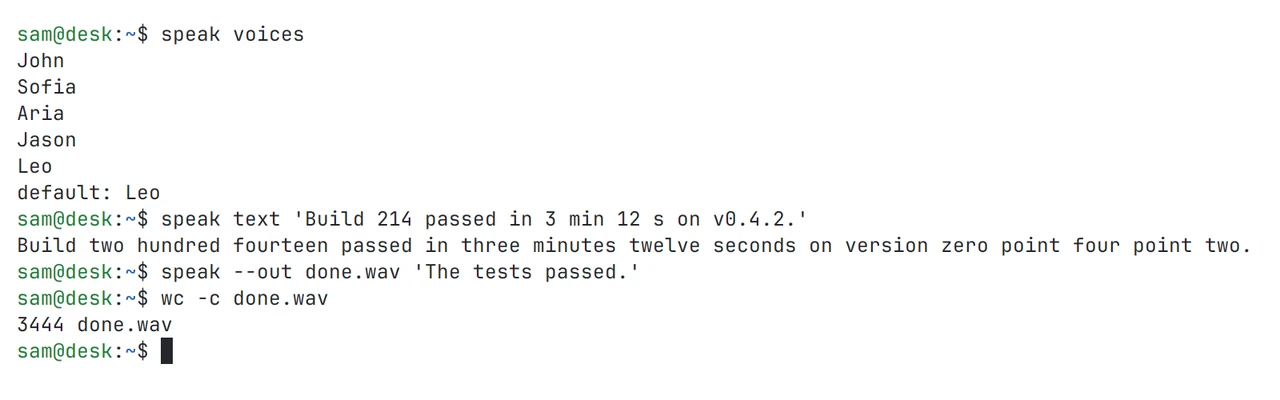
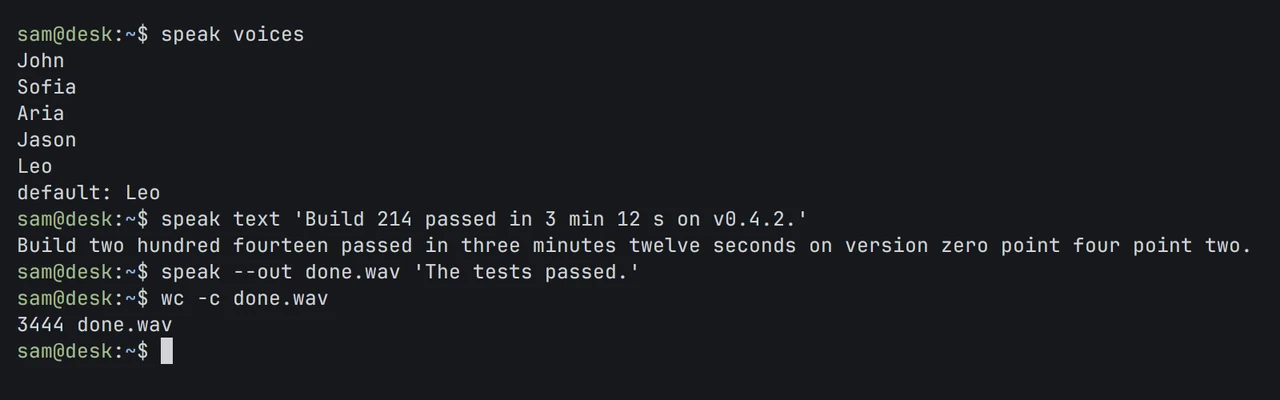
speak text prints the words that would be spoken and plays nothing. That is the cleaning step: Markdown is removed, and versions, times, dates and paths are written out as words before the model sees them. speak voices lists the model’s voices, --voice and --rate pick one and set the speed, and speak stop ends what is playing. Playback uses pw-play, paplay or aplay, whichever your Ubuntu has. Settings come from a TOML file and LUMBRIDGE_SPEAK_* variables; lumbridge-speak.example.toml shows every default, including the model server’s address.
Voice: dictate and transcribe
git clone https://github.com/lumbridge-corp/lumbridge-voice
cd lumbridge-voice
cargo build --release
./target/release/lumbridge-voice --print-config
LUMBRIDGE_VOICE_ADAPTER=mock ./target/release/lumbridge-voice &
curl http://127.0.0.1:8816/ready
curl http://127.0.0.1:8816/v1/audio/transcriptions -F file=@meeting.wav -F response_format=json
# on gpu-box, with a speech model on port 8807:
export LUMBRIDGE_VOICE_LISTEN=0.0.0.0:8816
export LUMBRIDGE_VOICE_TRANSCRIBE_URL=http://127.0.0.1:8807
./target/release/lumbridge-voice
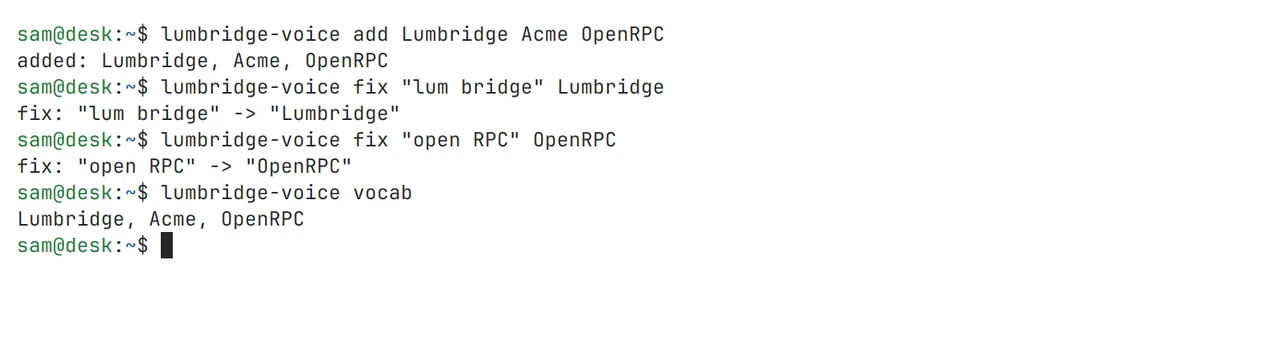
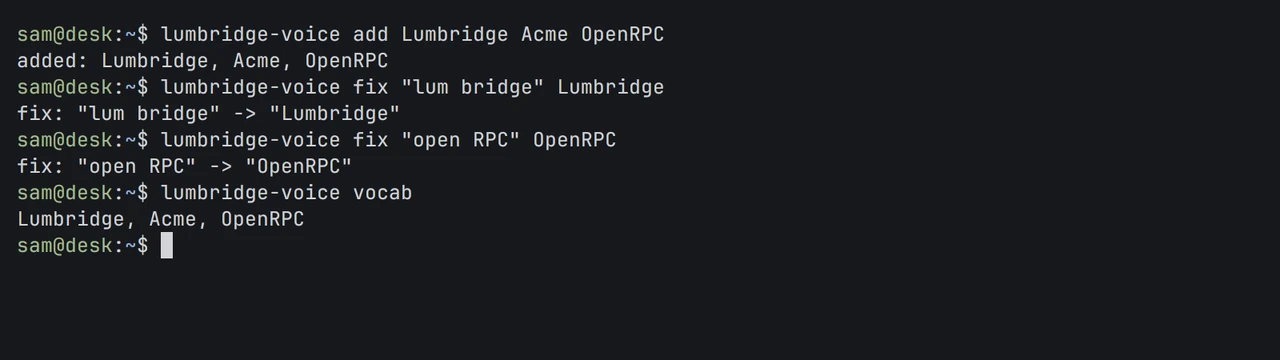
Any HTTP client can transcribe: post a file to /v1/audio/transcriptions and get text back, or ask for verbose_json to get a time for every word. diarization=true adds who said what. On Ubuntu, the place you dictate today is Lumbridge Notes: set [dictation] url to your Voice front and Ctrl-D types what you say into the note. Set [speech] url to your Speak front and Ctrl-R reads the note aloud.
The last chapter covers the two heaviest parts: a Factory where agents build from issues behind gates, and where the models themselves run.
Parts in this chapter Lumbridge Voice · Lumbridge Speak · Lumbridge Computer · Lumbridge Notes